


PPSS22 Emulator - PS2 Emulator
Blue Oliver's
I approached PPSS22 Emulator - PS2 Emulator as someone looking for a straightforward way to explore older console-style software on an Android phone, rather than as a replacement for a dedicated gaming device. The app sits in the Libraries & Demo section, is free to use, and comes from Blue Oliver's. Its store summary is brief, but the practical question is much more important: can it fit comfortably into a normal mobile routine, from installing the app to reaching a playable result without unnecessary confusion?
My answer is cautiously positive. The app is easy to consider because it is free, available for users aged Everyone, and supports Android devices running version 8.0 or later. At the same time, an emulator is only one part of the experience. The phone, controller, game files, storage, and configuration all affect the final result. That makes this a useful app for curious Android users who enjoy testing and adjusting things, but a less convincing choice for anyone expecting a console-like experience with no setup work.
From an empty phone to a usable emulator
Starting with the right expectation
The first useful distinction is between installing an emulator and obtaining a complete game experience. PPSS22 Emulator provides the application layer; it does not turn an Android phone into a ready-made library by itself. I would begin by treating the app as a tool that needs a compatible source of content and a little patience, not as a one-tap entertainment package.
That expectation matters because the name can create confusion. The short description identifies it as a PPSS22 Emulator, while the full product name also presents it as a PS2 emulator. I would not assume that every title associated with either platform will behave identically. Compatibility, speed, controls, and graphics can vary considerably between games and between phones, so the sensible approach is to test one legitimate, personally owned game at a time rather than loading a large collection immediately.
The app has attracted over a million installs, which suggests that plenty of Android users are at least interested in this kind of experiment. Its average rating is 3.4, a middle-ground result that matches my overall impression: the concept is appealing, but emulation is rarely as predictable as a standard mobile game. I see that rating as a reminder to judge the tool by your own device and patience level, not by enthusiasm alone.
Related News

Instagram Is No Longer a Photo App. It Is an Attention Engine

Microsoft Teams Mobile: When Collaboration Becomes Navigation

How the NFL App Adapts to Android and iOS Updates

Temu: Elevate Your Shopping Experience to Billionaire Status

Why Traffic Rider Works Best as a Precision Reflex Game

How Google’s Find Hub Transforms Everyday Searches
The installation stage
Because the app is free, the initial decision is simple. I would install it only from a trustworthy source, open it, and take a moment to understand what appears on screen before importing anything. The current version is 415, so the interface may not look exactly like older screenshots or guides found elsewhere. That is a practical reason to rely on labels visible in the installed app instead of blindly following instructions written for a different release.
A helpful first step is to keep the phone organized. I would create a dedicated folder for legally obtained game files and another for saves or configuration backups if the app creates them. This small separation makes later troubleshooting much easier. If a game stops launching after a setting change, I can identify whether the issue belongs to the file, the emulator configuration, or the phone itself instead of mixing everything together.
I would also close demanding background apps before the first test. This is not a special feature of PPSS22 Emulator; it is simply good emulator practice. A phone that is already busy with downloads, video playback, or several open games gives a misleading impression of performance. Testing in a quiet state produces a more useful baseline.
Gallery
Moving from the app to the game file
The first important handoff is between the emulator and the content it is expected to open. I would use only game files that I am entitled to use and place them somewhere easy to find. Then I would use the app's file-browsing or library workflow, following the controls shown in the installed version, rather than assuming that a particular folder name is required.
This is where many new users lose time. They may install the emulator successfully but see an empty library because the app has not been pointed toward the correct location. An empty screen does not necessarily mean the emulator is broken. It may simply mean that the content is stored elsewhere, the selected folder is wrong, or the file is not in a format the app can recognize. I would add one known file first, confirm that it appears, and only then consider importing more.
The handoff also affects storage management. Large game files can consume space quickly, and keeping duplicate copies in downloads, backup folders, and emulator folders makes the phone harder to manage. I prefer one clearly named working copy and one separate backup, if needed. That approach reduces accidental deletion and makes it easier to move the setup to another device later.
Choosing controls for the situation
Once a title appears, the next handoff is from the virtual interface to actual play. Touch controls are convenient because they require no extra equipment, but they also occupy part of the display and can feel awkward during games that need several buttons at once. I would begin with a short session rather than changing every option immediately. The goal is to discover whether the default arrangement is usable before spending time on fine adjustments.
For slower games, menus, turn-based play, or brief testing, on-screen controls may be perfectly adequate. For action-heavy games, a physical controller is usually the better alternative if the phone and controller work together properly. That is one of the clearest trade-offs: the emulator itself may be free, but a comfortable long-session setup can depend on accessories you already own. I would not buy a controller solely for this app until I had confirmed that the emulator and my preferred games are worth the investment.
A phone stand can also improve the experience more than people expect. Holding a large phone while pressing virtual controls becomes tiring, while placing it on a desk makes the touch layout easier to see and keeps the hands in a more natural position. This is a simple everyday adjustment, but it changes the difference between a five-minute test and a relaxed session.
Making the first performance check
The first launch should be treated as a diagnostic run. I would play the opening section for a few minutes, watch for uneven motion, listen for broken or delayed audio, and check whether controls respond consistently. I would avoid judging the app from a single menu screen because menus are often much lighter than actual gameplay.
If performance is poor, I would change one setting at a time and retest the same short section. Changing several graphics or speed options together makes it impossible to know which adjustment helped. It is also wise to keep a note of the original setting, especially when experimenting on more than one game. A configuration that improves one title may make another less stable.
This is one of the app's less obvious demands: the user becomes part of the testing process. The best result may require a compromise between image quality, smoothness, battery use, and heat. I would choose stable play over a sharper picture every time, because a visually impressive game that stutters constantly is less enjoyable than a modest presentation that remains responsive.
The save and resume handoff
A complete workflow does not end when a game starts. I would test how saving and resuming feel before committing to a long session. Use the game's own save system where possible, and treat any emulator-specific quick-save function as a convenience rather than the only copy of progress. Keeping both approaches available gives more protection if a setting changes or a file is moved.
I would also close the app normally after saving, then reopen it and confirm that the game and progress are still visible. This simple check answers a question many users otherwise discover at the worst time: whether their chosen file location and save routine actually survive a restart. It is especially useful before travelling or beginning a long game away from home.
The result after the setup work
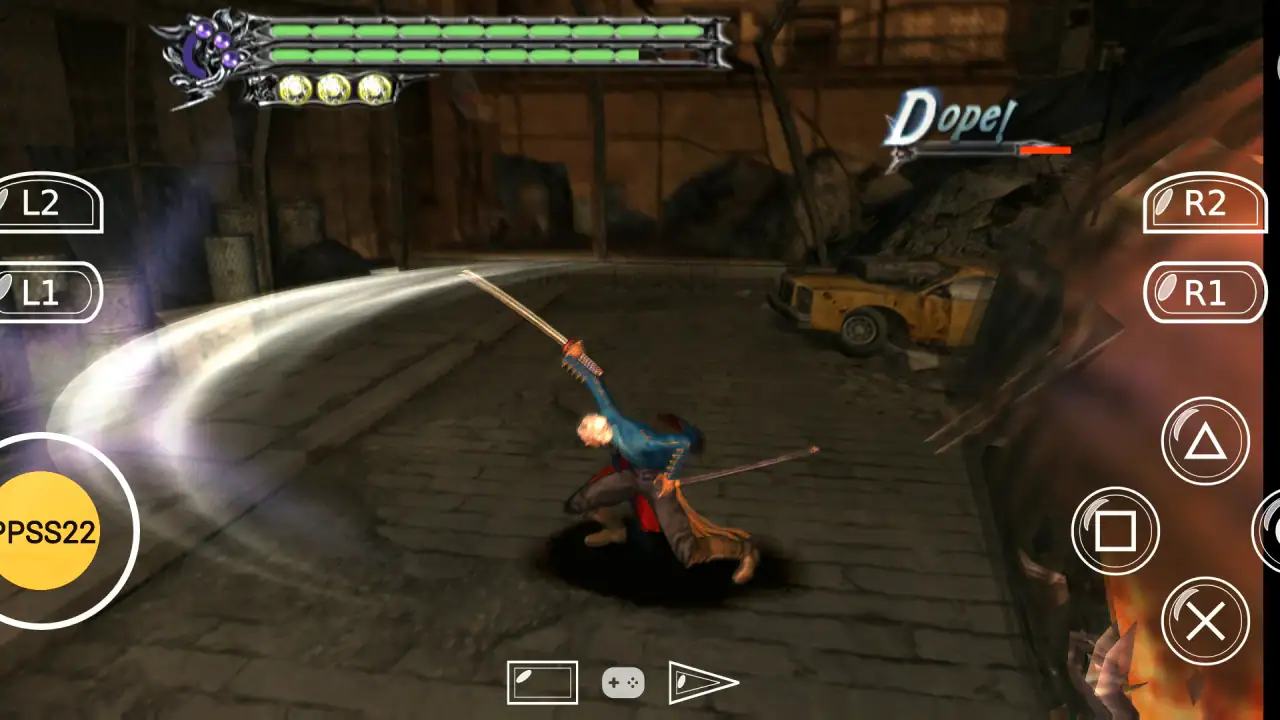
When the workflow goes well, PPSS22 Emulator can turn an Android phone into a flexible place for revisiting older console experiences. The strongest result is not just that a game opens; it is that the user can repeat the process reliably: select a file, launch it, use controls that fit the situation, save progress, and return later without rebuilding everything.
I find the app most appealing for people who enjoy that sense of ownership. You can decide which games to keep on the phone, whether to use touch controls or a controller, and how much visual adjustment is worth the effort. It is also useful for short sessions during a commute or while waiting, provided the phone has enough battery and the selected game does not demand more performance than the device can provide.
For an everyday scenario, imagine having half an hour before an appointment. I would open the emulator, choose a game already stored in the dedicated folder, resume from a normal save, and use touch controls if I had not brought a controller. That is where the app makes sense: the phone is already with me, the library is local, and I can stop after a short session. The experience becomes less convenient if I first need to search for files, reorganize storage, or troubleshoot a title that refuses to launch.
Where the flow breaks
The biggest weakness is the number of variables between installation and enjoyment. A fast phone may handle a title comfortably while an older device struggles. One game may work better than another. Touch controls may be fine for one genre and frustrating for the next. Because of that, I would not describe this as a universal solution for every Android owner.
Another friction point is troubleshooting. If a game does not run correctly, the cause may be the file, the selected settings, the phone's available resources, or the app's compatibility with that title. Without a clear, repeatable testing method, users can end up changing options randomly and making the situation harder to understand. My advice is to keep a simple baseline: one game, default settings, a short test area, and one change per attempt.
Battery and heat are also practical concerns during longer sessions. I would avoid testing while the phone is already hot or charging under heavy load, and I would lower expectations for extended play on a device with limited battery capacity. The app may be free, but comfortable emulation still uses the phone's resources, and that can matter more than the download itself.
People who want instant access to a polished mobile catalogue should probably choose a conventional Android game instead. A standard game is generally easier to install, designed around touch screens, and less dependent on external files or device-specific tuning. Likewise, users who already own a dedicated handheld or console may prefer that hardware for dependable controls and fewer setup steps.
On the other hand, someone who already has an Android phone, legally obtained games, and a willingness to experiment may find the free entry point worthwhile. The app is especially attractive when portability matters more than perfect consistency. I would also recommend it to users who enjoy comparing settings and building a tidy personal library, because those habits reduce the friction that beginners often feel.
How it compares with ordinary alternatives
Compared with a normal mobile game, this emulator offers more control over the source of the experience but much less certainty about how smoothly everything will work. A mobile game usually handles installation, graphics, controls, and updates as one package. PPSS22 Emulator separates those pieces, which creates flexibility but also creates handoffs that the user must manage.
Compared with a dedicated console emulator that has a long-established reputation, the important question is not simply which name sounds more familiar. I would compare the actual workflow on my phone: how easily the app finds my files, whether the controls are comfortable, how reliably saves resume, and whether the games I care about run acceptably. A different emulator may be better if it offers clearer documentation or more predictable compatibility for a particular library.
Compared with cloud gaming, this approach does not depend on a continuous streaming connection during play, which can be useful when travelling or dealing with unreliable internet. The trade-off is that local emulation places the performance burden on the phone and requires the user to manage files and settings. I prefer local play for short offline sessions, but I would choose another method if I wanted the least possible setup.
Who should install it
I would suggest PPSS22 Emulator to an Android user who understands that “free” refers to the app, not necessarily to every part of the surrounding setup. You should be comfortable handling your own game files, testing performance, and accepting that one title may need different treatment from another. A phone running Android 8.0 or later meets the stated minimum operating-system requirement, but that alone does not guarantee a smooth result.
I would skip it if you dislike file management, expect every game to run perfectly at the first launch, or need physical controls without owning a compatible controller. I would also avoid making it the centre of a large library until a few important titles have passed the complete workflow: discovery, launch, controls, performance, saving, closing, and resuming.
Blue Oliver's has kept the basic proposition easy to understand: a free Android emulator aimed at bringing this kind of console software to a phone. The Everyone age rating also makes the app broadly approachable, although the suitability of individual game content still depends on what the user chooses to load. That distinction is worth keeping in mind when installing it on a shared or family device.
My final take after following the full workflow
PPSS22 Emulator is best viewed as a practical experiment rather than a guaranteed console replacement. I like the low barrier to trying it, the portability of running an emulator on a phone, and the freedom to shape the setup around a personal library. I also appreciate that the workflow rewards careful organization: a dedicated folder, one-file testing, conservative setting changes, and reliable save habits make a noticeable difference.
Its limitations are equally real. The app cannot remove the compatibility differences between games and phones, virtual controls are not ideal for every genre, and troubleshooting can become part of the hobby. The average rating of 3.4 reflects that mixed reality better than an enthusiastic description would. My recommendation is therefore conditional but clear: install it if you want to explore emulation and are willing to tune the experience; choose a conventional mobile game, dedicated hardware, or another emulator if your priority is immediate, predictable play.
For me, the deciding test is simple: can I move from a prepared game file to a stable session and then return to my save without unnecessary work? When the answer is yes, the app is a handy addition to an Android phone. When the answer is no, the time spent fixing the handoffs outweighs the benefit of having the emulator available. The best experience comes from treating it as a flexible tool, not a one-click promise.
FAQs for PPSS22 Emulator - PS2 Emulator
What is the PPSS22 Emulator and what does it do?
The PPSS22 Emulator is a mobile application designed to emulate PlayStation 2 games on Android and iOS devices. It allows users to play PS2 games directly on their smartphones or tablets, providing a portable gaming experience. The emulator supports a wide range of games and offers customizable controls for a tailored gameplay experience.
Is the PPSS22 Emulator easy to set up and use?
Yes, the PPSS22 Emulator is designed to be user-friendly. After downloading and installing the app, users need to download PS2 game files in ISO format, which can then be loaded into the emulator. The interface is intuitive, and there are tutorials available to guide users through the setup process, making it accessible even for beginners.
What are the device requirements for running the PPSS22 Emulator efficiently?
To run the PPSS22 Emulator smoothly, your device should ideally have at least 4GB of RAM and a multi-core processor. While the app can run on lower specifications, higher performance devices will deliver better graphics and faster load times. Additionally, having sufficient storage space for game files is recommended.
Are there any limitations or known issues with the PPSS22 Emulator?
While the PPSS22 Emulator supports a wide array of PS2 games, not all games may run perfectly due to compatibility issues. Some users report occasional glitches or crashes, especially with more demanding games. The developers are continually working on updates to improve compatibility and performance, addressing user-reported issues.
Is the PPSS22 Emulator free, and are there any in-app purchases?
The PPSS22 Emulator is available for free download, but it may offer in-app purchases to unlock additional features or remove ads. While the basic functionality is accessible without payment, purchasing premium features can enhance the user experience by providing better performance or additional customization options.
Pros
- High compatibility with PS2 games.
- Smooth graphics rendering.
- Customizable control settings.
- Supports external gamepads.
- Frequent updates improve performance.
Cons
- Requires powerful device for best performance.
- Occasional audio sync issues.
- Some games may experience lag.
- Ads can be intrusive.
- Limited support for multiplayer mode.


